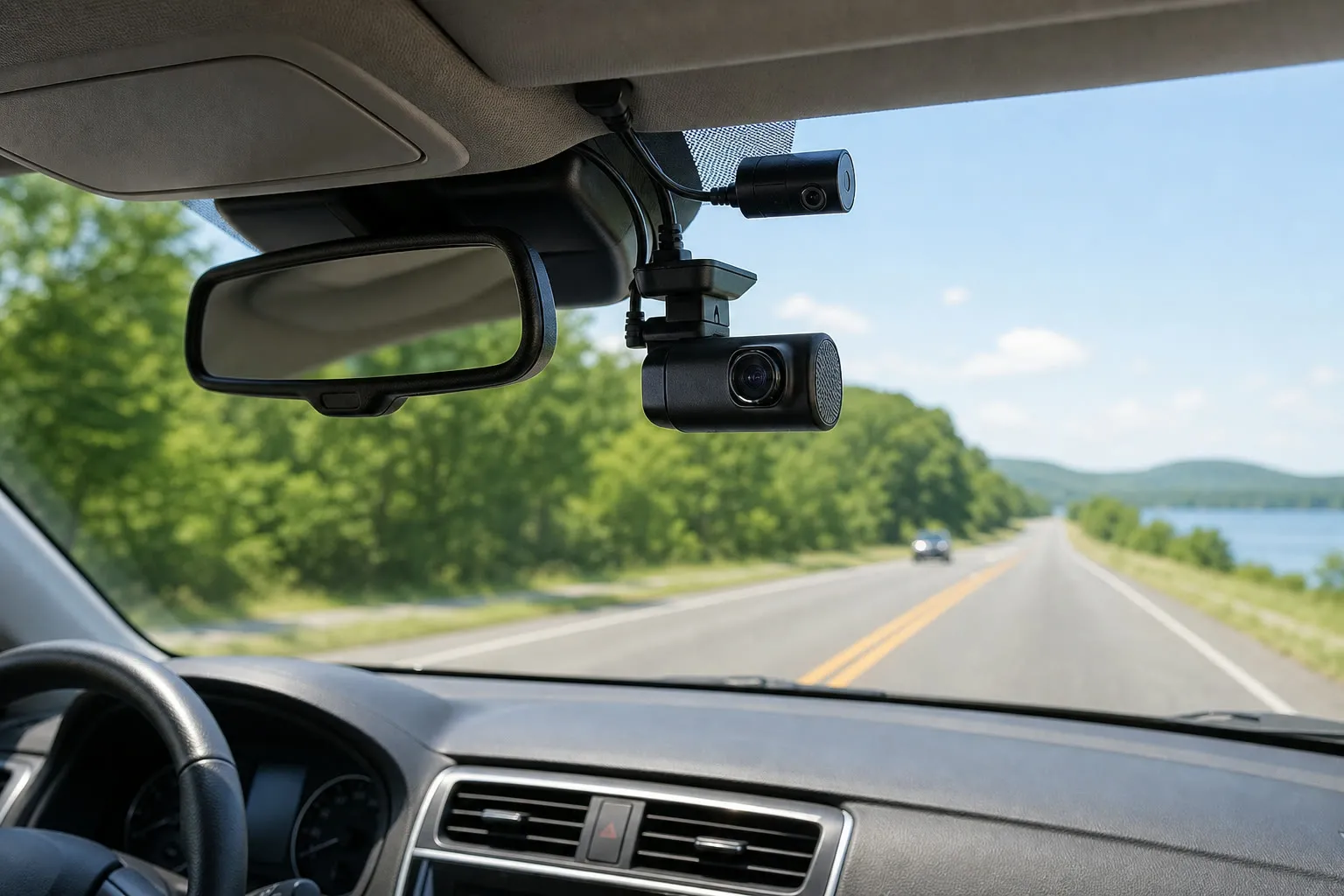
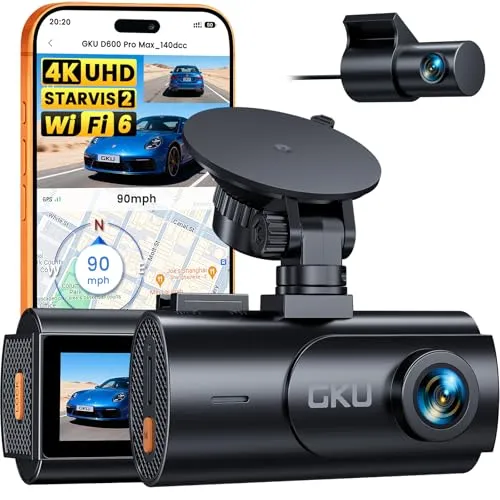
GKU D600 Pro Max, ASIN B0GXJKK21H. Official Amazon Creators API image.
Quick verdict
A well-equipped dual-camera kit for drivers who want clearer front evidence, rear coverage, GPS context, and easier phone transfers.
- Broader incident evidence: 4K front recording plus a 1080p rear camera
- Useful context: built-in GPS can add location and speed information to recordings
- Less setup friction: 5.8GHz Wi-Fi and an advertised 64GB card simplify everyday use
How we evaluated it: This is a research-based assessment. We did not receive a free sample or personally test this dash cam. We reviewed its current Amazon listing and published specifications on July 28, 2026. The product image is supplied through Amazon Creators API.
Check GKU price & availability
A dash cam is easy to ignore until a disputed incident, parking-lot scrape, or unexpected road event makes a clear record valuable. Basic cameras can miss the details that matter through soft resolution, poor night exposure, a narrow field of view, or a phone app that makes retrieving footage frustrating.
The GKU D600 Pro Max is positioned as a more complete everyday kit: 4K front recording, a 1080p rear camera, built-in GPS, faster 5.8GHz Wi-Fi, night-imaging support, voice control, and an included 64GB memory card. On paper, that combination tackles both the evidence problem and the setup friction that prevents owners from using a camera consistently.
Our short verdict: The D600 Pro Max appears well matched to drivers who want front-and-rear coverage without building a kit piece by piece. Its specification list covers the features many everyday drivers look for. The important caveats are installation complexity, the need for a separate hardwire setup for full parking surveillance, and the fact that no dash cam can guarantee readable plates in every condition.
Best for: commuters, rideshare drivers, families, and road-trip users who want dual-channel coverage, GPS context, and convenient phone transfers.
Think twice if: you do not want to route a rear-camera cable, need cloud-connected remote monitoring, or expect parking mode to work fully from a standard switched accessory outlet.
GKU D600 Pro Max review: key specifications
| Model reviewed | GKU D600 Pro Max (ASIN B0GXJKK21H) |
|---|---|
| Video | Published as 4K front plus 1080p rear recording |
| Image system | Sony STARVIS 2 sensor; HDR/WDR night-imaging support |
| Connectivity and location | 5.8GHz Wi-Fi/Wi-Fi 6 and built-in GPS |
| Storage | 64GB memory card advertised as included; loop recording supported |
| Power design | Supercapacitor |
| Parking feature | 24-hour parking mode is advertised; confirm hardwire-kit and installation requirements |
Specifications, included accessories, app compatibility, price, availability, ratings, and seller terms can change. Confirm the exact contents and requirements on the live Amazon listing.
Check current GKU D600 Pro Max details
The pain point: incomplete or unusable footage
Recording something is not the same as recording useful evidence. Motion blur, glare, darkness, a blocked view, or an incorrectly positioned camera can hide vehicle details. A front-only camera also leaves a major gap when an incident starts behind the car. Finally, footage that is difficult to transfer may stay on the memory card until loop recording overwrites it.
The D600 Pro Max attempts to solve these problems with higher-resolution front capture, a separate rear channel, HDR/WDR processing, GPS data, and faster local Wi-Fi. Each feature can improve the usefulness of a recording, but installation and expectations still matter.
Features that matter in everyday driving
4K front plus 1080p rear coverage
A 4K front stream provides more pixels for road context and may preserve more detail than 1080p under favorable lighting. The rear camera extends coverage behind the vehicle, which is especially relevant for rear-end incidents and events that move across the car.
Resolution alone does not guarantee plate readability. Vehicle speed, distance, windshield reflections, rain, darkness, compression, camera angle, and headlight glare all affect results. Install the front camera within the wiper-swept area, keep the lens and glass clean, and test recordings during the day and at night.
Sony STARVIS 2 with HDR/WDR support
The published sensor and dynamic-range features are designed for difficult light, such as entering a tunnel or facing bright headlights. They may help balance highlights and shadows, but they cannot create detail that the lens never captured. Treat “night vision” as low-light assistance rather than a promise of perfect nighttime identification.
Built-in GPS
GPS can add route, location, and speed context to compatible files or software. That information can help reconstruct an event, but it can also create privacy considerations. Review the app settings, understand how location data is stored, and avoid sharing unredacted trip data unnecessarily.
5.8GHz Wi-Fi for local transfers
Faster local Wi-Fi can make it less tedious to preview or download a clip to a phone. This is not necessarily internet or cloud connectivity; it is generally a direct camera-to-phone connection. App quality, phone permissions, file size, and wireless interference can still affect the experience.
Supercapacitor power design
Supercapacitors are commonly chosen for dash cams because they are intended to tolerate automotive temperature swings better than small lithium-ion batteries. They usually provide enough reserve to save a file when power is interrupted, not extended cable-free recording. The camera still needs a suitable power connection.
Parking mode requires careful setup
The listing advertises 24-hour parking mode, but a standard accessory socket often loses power when the ignition is off. Continuous or event-triggered parking monitoring commonly requires a compatible hardwire kit, correct fuse selection, and low-voltage protection. Confirm whether the kit is included or sold separately.
If you are not comfortable working with a vehicle fuse box, professional installation is the safer choice. A poor hardwire installation can create battery-drain, wiring, or trim problems. Parking mode records nearby activity; use it in accordance with applicable privacy and audio-recording laws.
How we handled customer-review evidence
We do not reproduce Amazon star ratings or individual customer-review quotations on this page. Ratings change, and a few selected excerpts can overstate either satisfaction or complaints. Amazon also limits how Associates may display its customer-review and rating content. On the live listing, read the newest positive and critical reviews and look for repeated evidence about installation, rear-camera cable length, connection stability, video retrieval, heat performance, and support response.
Customer comments do not independently verify image quality, app stability, heat tolerance, or long-term durability. Those questions are best answered by consistent patterns across current reviews and independent testing.
Pros and limitations
Potential advantages
- Front-and-rear recording in one package
- Higher-resolution 4K front channel
- GPS context and local phone transfers
- HDR/WDR support for difficult lighting
- 64GB card advertised as included
- Supercapacitor design
Limitations to consider
- No hands-on test by Thinking Reviews
- Rear-camera installation requires cable routing
- Parking mode may require extra hardware
- No guaranteed plate capture in every condition
- App experience and long-term durability are not independently verified
Quick buying decision
| Option | Best when | Main trade-off |
|---|---|---|
| GKU D600 Pro Max | You want front and rear coverage, GPS, Wi-Fi, and a bundled memory card | Rear-camera cable routing and possible parking-mode hardware |
| Front-only 4K camera | Simple installation and forward evidence are enough | No record of rear impacts or activity behind the vehicle |
| Cloud-connected dual camera | Remote alerts and off-vehicle access are important | Higher hardware cost and possible subscription fees |
See the current GKU offer on Amazon
Setup checklist for more reliable evidence
- Bench-test before hiding cables. Power both cameras and verify front/rear recordings, timestamps, GPS, and phone connection.
- Choose a legal, unobstructed position. Keep the driver’s view clear and follow local windshield-mount rules.
- Aim for road context. Too much sky darkens the road; too much hood removes useful distance. Use sample clips to refine the angle.
- Format and inspect the card. Follow the manual, confirm loop recording, and periodically check that recent files actually open.
- Save important clips promptly. Download or lock event footage before it can be overwritten.
- Check audio and privacy settings. Consent rules vary by location, and recorded conversations can be sensitive.
Browse more car-accessory coverage in our Automotive section.
Frequently asked questions
Does the GKU D600 Pro Max record the rear of the vehicle?
Yes, the package is advertised with a 1080p rear camera. Verify the included cable length and mounting approach for your vehicle before installation.
Can it record while parked?
Parking mode is advertised, but full operation may require a compatible hardwire kit and low-voltage protection. Check the current listing and manual rather than assuming a standard accessory-plug installation will stay powered.
Will 4K always capture a license plate?
No. Higher resolution can help, but plate readability depends on lighting, motion, angle, distance, weather, focus, glare, and compression. No consumer dash cam should be marketed as a guarantee of identification.
Is the included 64GB card enough?
It is a useful starting capacity for loop recording, but retention time depends on bitrate, channel settings, and driving time. Confirm the maximum supported capacity and card specification before upgrading.
Final verdict
The GKU D600 Pro Max has the right ingredients for a practical dual-channel system: detailed front recording, rear context, location data, faster retrieval, and an included memory card. That can reduce both the coverage gaps and setup friction common to entry-level cameras.
It is best treated as a documentation tool—not a safety device or a guarantee of fault, payment, or legal outcome. If you are comfortable with the rear-camera installation and confirm the parking-mode requirements, its feature mix makes it a credible shortlist option.
View current GKU D600 Pro Max details
Amazon price, availability, specifications, seller, and return terms may change. Verify the live listing before purchasing.




I’m in Long Beach and want to review dash-cam footage quickly after a drive. For the GKU D600 Pro Max, how much effort is it to download clips over Wi‑Fi—do I need extra steps or apps each time, or is it straightforward?
Based on the review topic, the GKU D600 Pro Max includes Wi‑Fi for getting footage. That generally means you can download or transfer clips without removing the camera, but the exact “how many steps” experience isn’t detailed in the provided information. If you’re aiming for truly quick, repeated downloads, confirm in the full review/manual how Wi‑Fi connection and downloading are handled each time (and whether it requires a specific app/login).
I’m buying this mainly for night incidents, but my street driving has bright headlights—based on what these cams usually claim, how should I judge if the night imaging will actually be readable for plates in real life?
The specs can look promising, but nighttime readability depends a lot on how much light the scene has and how stable the footage is. Before you commit, look at sample night footage from similar driving conditions (headlight glare, wet pavement if you have it, and typical distance to the car/plate). Also consider that a dash cam recording farther away will always be harder to read than footage from closer impacts. If your main concern is plates, prioritize how clear the footage looks on the hardest scenario examples rather than the brightest/clearest ones.