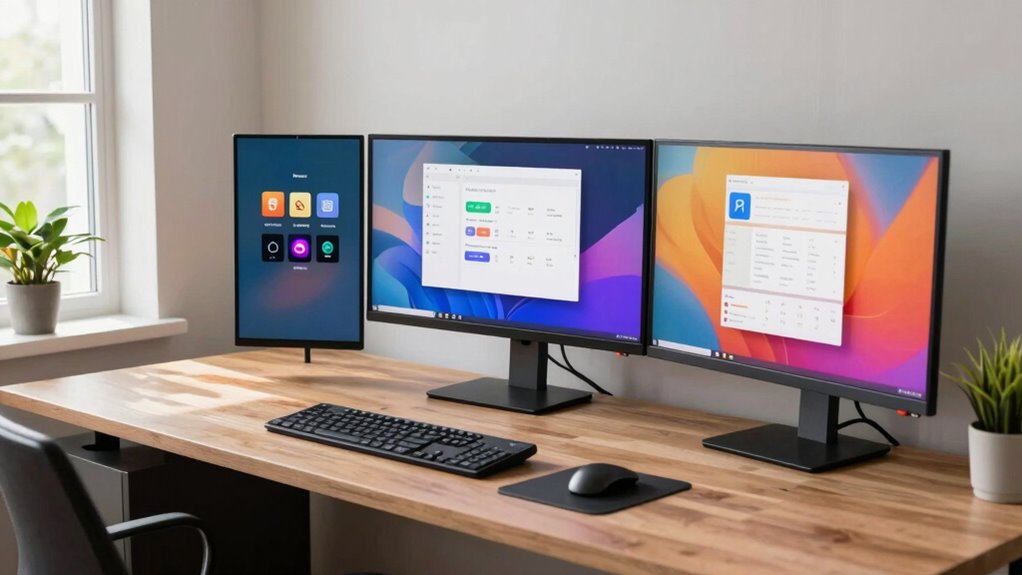
We’ve picked 10 work monitors for 2026 that boost productivity, covering compact 22–24″ 1080p IPS and VA panels with 100Hz, LowBlue and flicker‑free tech, plus 27–34″ 2560×1440 and 3440×1440 ultrawide options with HDR10. Models include Sceptre 24″ E248W, Philips 24″ frameless 241V8LB, Samsung ViewFinity 34″ S50GC, and several Samsung 24–32″ IPS/VA choices, all with HDMI/DP, adjustable stands, and prices from about $120–$600, keep going to see full specs and comparisons.
| Sceptre 24″ Prime 1080p LED Monitor (E248W) |  | Best Budget Performer | Screen Size: 24 inches | Resolution: 1920 x 1080 (Full HD) | Refresh Rate: Up to 100Hz | VIEW LATEST PRICE | See Our Detailed Review |
| Philips 24″ Frameless Full HD 100Hz Monitor |  | Best For Multitaskers | Screen Size: 23.8 inches | Resolution: 1920 x 1080 (Full HD) | Refresh Rate: 100Hz | VIEW LATEST PRICE | See Our Detailed Review |
| Samsung 34″ ViewFinity S50GC Ultra-WQHD Monitor |  | Best For Creatives | Screen Size: 34 inches | Resolution: 3440 x 1440 (Ultra‑WQHD) | Refresh Rate: 100Hz | VIEW LATEST PRICE | See Our Detailed Review |
| Samsung 24″ S30GD IPS Monitor 100Hz Eye Care |  | Best For Gamers | Screen Size: 24 inches | Resolution: 1920 x 1080 (Full HD) | Refresh Rate: 100Hz | VIEW LATEST PRICE | See Our Detailed Review |
| Samsung 27″ S3 Series Curved FHD 100Hz Monitor |  | Most Immersive View | Screen Size: 27 inches | Resolution: 1920 x 1080 (Full HD) | Refresh Rate: 100Hz | VIEW LATEST PRICE | See Our Detailed Review |
| HP 27″ Series 3 Full HD IPS Monitor (327se) |  | Best Ergonomics | Screen Size: 27 inches | Resolution: 1920 x 1080 (Full HD) | Refresh Rate: 100Hz | VIEW LATEST PRICE | See Our Detailed Review |
| Dell 24″ SE2425HM Full HD IPS Monitor |  | Most Reliable Choice | Screen Size: 23.8 inches | Resolution: 1920 x 1080 (Full HD) | Refresh Rate: 100Hz | VIEW LATEST PRICE | See Our Detailed Review |
| Philips 22″ Full HD 100Hz Monitor (221V8LB) |  | Best Compact Pick | Screen Size: 22 inches (21.5″ viewable) | Resolution: 1920 x 1080 (Full HD) | Refresh Rate: 100Hz | VIEW LATEST PRICE | See Our Detailed Review |
| Samsung 32″ 75Hz Borderless Monitor (LS32B304NWNXGO) |  | Best Large-Screen Value | Screen Size: 32 inches | Resolution: 1920 x 1080 (Full HD) | Refresh Rate: 75Hz | VIEW LATEST PRICE | See Our Detailed Review |
| Samsung 22″ S30GD IPS Monitor — 100Hz Eye Care |  | Best Small Workspace | Screen Size: 22 inches | Resolution: 1920 x 1080 (Full HD) | Refresh Rate: 100Hz | VIEW LATEST PRICE | See Our Detailed Review |
More Details on Our Top Picks
Sceptre 24″ Prime 1080p LED Monitor (E248W)
If you need an affordable, no-frills work monitor that still gives sharp color and smooth motion, the Sceptre 24″ Prime 1080p (E248W) is a solid pick for everyday tasks and light gaming. We like its 24-inch, 1920×1080 LED panel, 99% sRGB coverage, and up to 100Hz refresh rate, which help with color and motion. The 1ms response time and FPS-RTS modes suit casual gaming, while two HDMI and one VGA port, plus audio in and a headphone jack, cover connections. It weighs 5.77 pounds, measures 7.03 x 21.25 x 15.53 inches, and has built-in speakers.
- Screen Size:24 inches
- Resolution:1920 x 1080 (Full HD)
- Refresh Rate:Up to 100Hz
- Panel / Color Technology:99% sRGB (LED)
- Eye Care / Comfort:Noted (general suitability for work; implied eye comfort)
- Connectivity Options:2× HDMI, 1× VGA, Audio In, Headphone Jack
- Additional Feature:Built-in stereo speakers
- Additional Feature:Dual HDMI inputs
- Additional Feature:FPS/RTS game modes
Philips 24″ Frameless Full HD 100Hz Monitor
The Philips 241V8LB 23.8-inch frameless monitor is a strong choice for people who want a compact, productivity-focused display, since it pairs a Full HD 1920×1080 VA panel with a 100Hz refresh rate, wide 178/178 viewing angles, and a nearly bezel-free three-sided design that works well in dual or triple monitor setups. We like its crisp clarity and VA contrast, which give deeper blacks and bright whites for documents and spreadsheets. It has HDMI and VGA ports, LowBlue and Flicker-Free eye care, EasyRead mode, and a 4-year advance replacement warranty, weighing 6.39 pounds.
- Screen Size:23.8 inches
- Resolution:1920 x 1080 (Full HD)
- Refresh Rate:100Hz
- Panel / Color Technology:VA panel (16.7M colors)
- Eye Care / Comfort:LowBlue Mode + Flicker‑Free
- Connectivity Options:1× HDMI, 1× VGA
- Additional Feature:Frameless three-side bezel
- Additional Feature:4-year advance replacement
- Additional Feature:EasyRead paper mode
Samsung 34″ ViewFinity S50GC Ultra-WQHD Monitor
For teams and professionals who need wide, uninterrupted workspace, we recommend the Samsung 34″ ViewFinity S50GC, a 34-inch Ultra‑WQHD (3440 x 1440) monitor that gives you a 21:9 aspect ratio, 300 cd/㎡ brightness, and a 3000:1 contrast ratio for clearer spreadsheets, timelines, and side‑by‑side documents. We find the 100Hz refresh rate and 5ms response time keep motion smooth, and AMD FreeSync reduces tearing for mixed work and media. The monitor has HDR10, ambient light sensor, Eye Saver Mode, and PBP/PIP inputs, plus two HDMI 2.2 and one DisplayPort 1.2, weighing 10.8 pounds.
- Screen Size:34 inches
- Resolution:3440 x 1440 (Ultra‑WQHD)
- Refresh Rate:100Hz
- Panel / Color Technology:HDR10 (wide color, 1B+ colors)
- Eye Care / Comfort:Ambient light sensor, Eye Saver Mode, Flicker Free
- Connectivity Options:2× HDMI 2.2, 1× DisplayPort 1.2
- Additional Feature:Ultrawide 21:9 aspect
- Additional Feature:HDR10 (1B colors)
- Additional Feature:PBP & PIP multitasking
Samsung 24″ S30GD IPS Monitor 100Hz Eye Care
People who want a compact, responsive monitor for mixed work and casual gaming will like the Samsung 24″ S30GD, a 24-inch IPS display that balances sharp 1920×1080 resolution with a 100Hz refresh rate, 6.89 x 21.29 x 16.87 inch footprint, and a 5.29-pound weight that keeps it easy to move or fit into small desks. We find the IPS panel delivers vivid colors and consistent tones, the 100Hz rate reduces motion blur, and Game Mode sharpens clarity for gaming. It has two USB 3.0 ports, Eye Saver Mode to cut blue light, tilt-only stand, and slim bezels.
- Screen Size:24 inches
- Resolution:1920 x 1080 (Full HD)
- Refresh Rate:100Hz
- Panel / Color Technology:IPS panel
- Eye Care / Comfort:Eye Saver Mode (reduces blue light, flicker)
- Connectivity Options:Multiple connectivity options (includes USB 3.0 ×2)
- Additional Feature:USB 3.0 hub (2)
- Additional Feature:Tilt-only slim stand
- Additional Feature:Competitive Game Mode
Samsung 27″ S3 Series Curved FHD 100Hz Monitor
If you want a compact curved monitor that helps reduce eye strain during long work sessions, we’d recommend the Samsung 27″ Essential S3 (S36GD), which pairs a 27‑inch, 1920×1080 FHD panel with a 1800R curve and a 100Hz refresh rate, making it a good fit for office multitasking, light media work, and casual gaming. We like its TÜV‑certified eye comfort features, which cut blue light and flicker for long sessions, and the 100Hz refresh rate that reduces motion blur. It weighs 8.4 pounds, measures 9.2×24.5×18.4 inches, and offers HDMI plus D‑sub ports.
- Screen Size:27 inches
- Resolution:1920 x 1080 (Full HD)
- Refresh Rate:100Hz
- Panel / Color Technology:(FHD curved panel; color tech unspecified)
- Eye Care / Comfort:TÜV‑certified eye comfort (low blue light, no flicker)
- Connectivity Options:HDMI and D‑sub (VGA)
- Additional Feature:1800R curvature
- Additional Feature:TÜV-certified eye comfort
- Additional Feature:HDMI + D-sub inputs
HP 27″ Series 3 Full HD IPS Monitor (327se)
We think the HP 27″ Series 3 (327se) is a solid pick for home offices and shared workspaces that need a simple, reliable display, because it pairs a 27-inch Full HD (1920 x 1080) IPS panel with a 100Hz refresh rate, 1300:1 contrast, and 250 nits brightness for clear text, consistent colors, and smoother motion. We appreciate the 3-sided micro-edge bezel, 4-way adjustability and tilt stand, plus neat cable management for tidy desks. Ports include VGA, HDMI 1.4 and DisplayPort 1.2, while dual 2W speakers and HP Eye Ease aid comfort. It uses recycled materials and includes a three-year warranty.
- Screen Size:27 inches
- Resolution:1920 x 1080 (Full HD)
- Refresh Rate:100Hz
- Panel / Color Technology:IPS panel
- Eye Care / Comfort:HP Eye Ease (Eyesafe low‑blue light)
- Connectivity Options:VGA, HDMI 1.4, DisplayPort 1.2
- Additional Feature:4-way adjustable stand
- Additional Feature:90% recycled plastics
- Additional Feature:3-year limited warranty
Dell 24″ SE2425HM Full HD IPS Monitor
For anyone who needs a dependable everyday work monitor, the Dell 24″ SE2425HM is a solid pick, offering a 23.8-inch Full HD (1920×1080) IPS panel, a 100Hz refresh rate, and ComfortView Plus to cut blue light without sacrificing color accuracy. We like its IPS panel for consistent colors across wide angles, and the anti-glare coating for bright rooms. The monitor has a small footprint, built-in PSU, cable holder, tilt adjustment, and VESA mount compatibility. It weighs 7.65 pounds, measures 7.04 x 21.21 x 16.23 inches, and earns strong reviews, 4.7/5 from users.
- Screen Size:23.8 inches
- Resolution:1920 x 1080 (Full HD)
- Refresh Rate:100Hz
- Panel / Color Technology:IPS panel (16.7M colors)
- Eye Care / Comfort:ComfortView Plus (low blue light)
- Connectivity Options:HDMI (and built‑in power; typical video inputs implied)
- Additional Feature:Built-in power supply
- Additional Feature:VESA mount compatible
- Additional Feature:ComfortView Plus certified
Philips 22″ Full HD 100Hz Monitor (221V8LB)
The Philips 22″ Full HD 100Hz Monitor (221V8LB) is a solid pick when you want a compact, reliable work screen that balances clarity and smooth motion, and it’s especially useful for home offices or secondary displays where space is limited. We like its 21.5″ viewable VA panel, Full HD 1920×1080 resolution, and 100Hz refresh rate for smoother video and scrolling. It has HDMI and VGA ports, adaptive-sync, 178/178 viewing angles, LowBlue and flicker-free tech, and VESA mount support. It weighs 9.27 pounds, includes a 4-year advance replacement warranty, and rates 4.5/5 from users.
- Screen Size:22 inches (21.5″ viewable)
- Resolution:1920 x 1080 (Full HD)
- Refresh Rate:100Hz
- Panel / Color Technology:VA panel (16.7M colors)
- Eye Care / Comfort:LowBlue Mode + Flicker‑Free
- Connectivity Options:1× HDMI, 1× VGA
- Additional Feature:Adaptive-Sync technology
- Additional Feature:VA panel contrast
- Additional Feature:4-year advance replacement
Samsung 32″ 75Hz Borderless Monitor (LS32B304NWNXGO)
If you need a roomy 32-inch display for everyday work and light gaming, this Samsung 32″ 75Hz Borderless Monitor (LS32B304NWNXGO) is a strong choice, offering a Full HD 1920×1080 screen, a three-sided borderless design for seamless multi-monitor setups, and AMD FreeSync plus a 75Hz refresh rate to keep motion smooth. We like its clean look and the 32-inch size gives generous screen real estate for documents and spreadsheets. It includes HDMI and DisplayPort, Advanced Eye Care with flicker-free and Eye Saver modes, Game Mode, weighs 11.02 pounds, and ships from July 1, 2024.
- Screen Size:32 inches
- Resolution:1920 x 1080 (Full HD)
- Refresh Rate:75Hz
- Panel / Color Technology:Borderless panel (type unspecified; 1080p)
- Eye Care / Comfort:Advanced Eye Comfort + Flicker‑Free, Eye Saver Mode
- Connectivity Options:HDMI and DisplayPort
- Additional Feature:AMD FreeSync support
- Additional Feature:Three-side borderless design
- Additional Feature:HDMI + DisplayPort
Samsung 22″ S30GD IPS Monitor — 100Hz Eye Care
We think this Samsung 22″ S30GD is a solid pick for users who want a compact, everyday work monitor with smooth motion, thanks to its 100Hz IPS panel and 1920×1080 resolution. It measures 6.89 x 19.29 x 15.75 inches and weighs 4.63 pounds, fitting small desks easily. The IPS panel offers vivid colors and consistent tones, while 100Hz cuts motion blur for video and light gaming. Eye Care features reduce blue light and flicker for longer sessions. It has multiple connectivity options, a tilt-only stand, slim bezels, and a manufacturer warranty upon request.
- Screen Size:22 inches
- Resolution:1920 x 1080 (Full HD)
- Refresh Rate:100Hz
- Panel / Color Technology:IPS panel
- Eye Care / Comfort:Advanced Eye Care (reduces blue light, flicker)
- Connectivity Options:Multiple connectivity options (unspecified; standard ports implied)
- Additional Feature:Super-slim bezel design
- Additional Feature:Lightweight portable size
- Additional Feature:Tilt-only ergonomic stand
Factors to Consider When Choosing a Work Monitor
Let’s look at key factors like screen resolution and size, for example 1080p on 22–24″ or 1440p on 27″, and panel type choice, such as IPS for wide viewing angles or VA for higher contrast. We’ll consider refresh rate needs and color accuracy, noting 60–75Hz is fine for office work while 100Hz+ helps smoother scrolling, and color accuracy matters if you do photo or design work. Finally, we’ll cover ergonomics and adjustability, including tilt, height, and pivot, and give price ranges so you can match features to your budget.
Screen Resolution and Size
Screen size and resolution are two of the first things we look at when choosing a work monitor, because they determine how much you can see and how sharp it looks; common resolutions start at 1920 x 1080 (Full HD), which gives clear text and graphics without high cost, while larger options like 2560 x 1440 (QHD) or 3840 x 2160 (4K) pack more detail and work space for multitasking. We recommend matching size and resolution to our desk and tasks, a 24-inch Full HD monitor is a common, affordable choice, offering about 92 PPI and a comfortable view. Bigger screens give more real estate for multiple windows, and 16:9 aspect ratios suit most work and media needs.
Panel Type Choice
Because panel type determines color, contrast, and viewing angles, we should pick the one that fits our work needs and budget, whether that’s an IPS for color-critical tasks, a VA for deep blacks and higher contrast, or a TN for the lowest response times. For design and graphics, IPS is usually best, it offers consistent colors and wide viewing angles, and typical response times are around 5ms, with midrange models starting near $200. VA panels give higher contrast and deeper blacks, useful for multimedia and mixed work, they often cost $150–$400 and suit users who value image depth. TN panels deliver 1ms response for fast motion and esports, but they have narrower viewing angles and poorer color. Also look for LowBlue Mode and flicker-free features for eye comfort.
Refresh Rate Needs
How smooth does motion need to be for your work and how much are you willing to spend — 60Hz, 100Hz, and higher rates make a real difference in motion clarity, and we should match the refresh rate to tasks like basic office work, video editing, or gaming. Refresh rate is measured in Hertz, and 60Hz handles email, documents, and web browsing well, often costing less than $200. If you edit video or do motion graphics, 100Hz or 120Hz gives smoother playback and cleaner scrubbing, prices commonly range $250–$600. Gamers and fast-motion reviewers benefit from 144Hz or above, which reduces blur and tearing, typically $300–$800. Look for variable refresh rate support, it syncs the monitor to your GPU and improves real-world smoothness.
Color Accuracy Importance
When we need colors to match originals for design, photo work, or client review, color accuracy becomes a top priority, and we should look at gamut coverage, panel type, Delta E, and HDR support. We recommend monitors that cover at least 99% sRGB, many pros also prefer 95% DCI-P3 for video, and that typically costs $300–$1,200 depending on size and features. An IPS panel gives consistent color across wide angles, which helps when teammates view the screen. Delta E under 2 is ideal, it means minimal color error and is common in factory-calibrated models. HDR support expands color depth to over a billion colors, compared to 16.7 million in standard displays. We suggest checking measured gamut and Delta E in reviews before buying.
Ergonomics and Adjustability
If we expect to sit at a screen for hours, good ergonomics and adjustability should be a top consideration, since tilt, swivel, height, and pivot controls let us position the monitor to reduce neck and back strain. We look for height ranges around 120–150 mm, tilt of -5° to 20°, and 90° pivot for portrait mode, which cover most desks and tasks. Slim bezels improve focus and give more visible area, while built-in cable management keeps cords tidy. Eye-care tech like low blue light and flicker-free panels is important to cut eye fatigue during long sessions. Adjustable stands often add $50–$200 versus fixed stands, but we find the comfort and reduced strain usually justify that cost.
Connectivity and Ports
Ergonomic adjustability keeps us comfortable at the desk, but connectivity determines how smoothly our setup works, so it’s worth giving ports careful thought before buying. We look for monitors with multiple inputs, like HDMI, VGA, and DisplayPort, so they work with older and newer machines. At least two HDMI ports help when we switch between a laptop and a desktop, and DisplayPort gives higher refresh or resolution when needed. USB-A and USB-C ports let us plug in keyboards, mice, or charge devices, cutting desktop clutter. Picture-by-Picture and Picture-in-Picture support matter when we run two sources at once, and VESA compatibility ensures flexible mounting options. Prices vary by feature, expect $200–$600 for solid connectivity.
Eye-Care Technologies
Good eye-care tech can make long workdays easier on our eyes, so we look for features like LowBlue Mode, Flicker-Free panels, and ambient light sensors that cut blue light, remove screen flicker, and auto-adjust brightness to room lighting. We prefer LowBlue options that reduce short-wavelength light by 30–70%, which studies link to less eye fatigue during long sessions. Flicker-Free panels eliminate PWM flicker, giving a steadier image at all brightness levels. Ambient light sensors adjust luminance automatically, keeping contrast comfortable from dim to bright rooms. Advanced modes that reduce glare and boost contrast help when reading text or editing images. Ergonomic stands with 100mm height, tilt, swivel, and 120mm VESA offsets support better posture, lowering neck and eye strain.
Budget and Warranty
After we’ve covered eye-care features like LowBlue, Flicker-Free panels, and ambient light sensors, it’s time to look at budget and warranty so you know what to expect on price and protection. We should set a clear budget first, since monitors range from under $100 for basic models to over $1,000 for high-end displays. Compare features like resolution, refresh rate, and panel type against price to judge value, for example a 1080p 60Hz IPS under $200, or a 4K 60Hz IPS over $400. Check warranty length, longer terms like four years reduce risk, and review return policies, many retailers offer 30-day full refunds for defective units. Also favor energy-efficient designs to lower operating costs and environmental impact.
Frequently Asked Questions
Are Curved Monitors Better for Productivity Than Flat Ones?
Yes, we think curved monitors can aid productivity for some users, especially with 34–49″ ultrawide curved screens, 1000R–1500R curvature, and 1440p–3440×1440 resolutions, which reduce eye movement and improve immersion. Flat monitors, from 24–32″ with 1080p–4K, remain better for color work and dual-monitor setups, and they cost $150–$800 depending on features. We recommend testing size, curvature, and price against your desk and tasks.
How Do Monitor Stands Impact Ergonomics Long-Term?
Monitor stands greatly affect long-term ergonomics, and we recommend adjustable options to reduce neck and back strain. We prefer stands with 4–20 cm height range, 15° tilt, and 360° swivel, priced $30–$150, which let us set eye level at top third of screen, keep wrists neutral, and maintain 50–70 cm viewing distance. Good stands also free desk space, support 4–9 kg monitors, and lower chronic discomfort over years.
What Are Best Settings for Color Accuracy in Productivity Apps?
We recommend using sRGB or Display P3 profiles, 6500K white point, and gamma 2.2 for color accuracy in productivity apps. We’ll calibrate with a hardware colorimeter, aim for ΔE under 2, set brightness to 120–160 cd/m² for office lighting, and use 100% native resolution. For wider gamut work, we’ll choose a monitor supporting 99% DCI-P3, costing $300–$900, and keep color management enabled in app settings.
Can a Single Ultrawide Replace a Dual-Monitor Setup?
Yes, a single ultrawide can replace a dual-monitor setup for many users, and we recommend 34–49 inch screens with 3440×1440 to 5120×2160 resolution, curved panels, and 100–175 Hz for smooth multitasking. We find USB-C or DisplayPort with KVM helpful, and prices range $400–$1,200. Consider workflow, window management, and desk width, since oversized screens can reduce ergonomics for some users.
Do Monitor Warranties Typically Cover Backlight Bleed?
Yes, warranties sometimes cover severe backlight bleed, but policies vary by brand and region. We recommend checking terms for defects, dead pixels, and uniformity limits, noting coverage usually applies within 30–365 days. For a 27″ IPS at $300–$600, mild bleed is often considered acceptable, while pronounced clouding or bright spots may qualify for repair or replacement. Contact support with photos and serial number to start a claim.
Wrapping It Up
We’ve covered monitors from compact 22″ and 24″ 1080p panels to larger 27″ and 34″ Ultra‑WQHD screens, noting refresh rates (75–100Hz), IPS vs VA, curved vs flat, and eye‑care features. For most work, a 24–27″ IPS 1080p–1440p monitor with 100Hz, low blue light, and adjustable stand, priced around $100–$350, hits the best balance of clarity, comfort, and value. Choose larger or higher‑res options if you multitask or edit visuals.


Leave a Reply