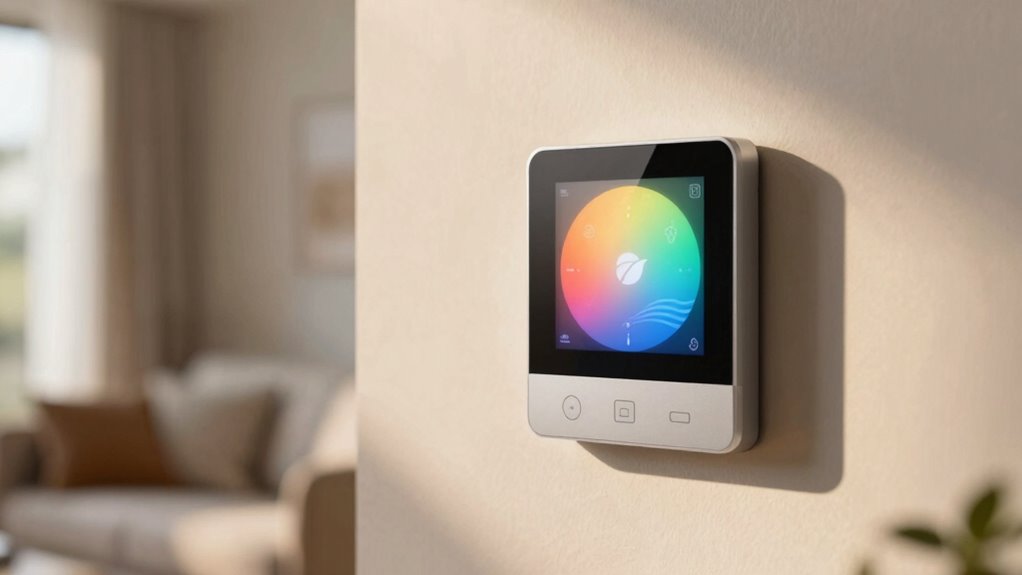
We’ve picked seven reliable indoor smart thermostats for 2026 that balance cost and energy savings, including Meross (Matter, Alexa, Apple, Google, 0.9 x 3.6 x 3.6 in, budget-friendly), ecobee Essential (no C‑wire needed, touch LCD), Google Nest (compact, ENERGY STAR, uses 2 AAA), Nest Charcoal, Vine (fits 90% of 24V systems, 0.98 x 3.54 x 3.54 in), Honeywell RTH20B and T5 (programmable, Wi‑Fi), priced $50–$250 with app control, geofencing, and energy reports — keep going to see which fits your system.
| meross Smart Wi‑Fi Thermostat (Matter Alexa Apple Google) |  | Best For Compatibility | Compatibility: Matter, Apple Home, Amazon Alexa, Google Home, Samsung SmartThings | Wi‑Fi / Remote Control: Wi‑Fi (2.4 GHz) with app control and remote access | Scheduling / Automation: Flexible scheduling; runs schedule offline if Wi‑Fi disconnects | VIEW LATEST PRICE | See Our Detailed Review |
| ecobee Smart Thermostat Essential — Wi‑Fi Voice Assistant Compatible |  | Best Energy Saver | Compatibility: Siri, Alexa, Google Assistant (works with ~85% HVAC systems) | Wi‑Fi / Remote Control: Wi‑Fi with ecobee app control and remote access | Scheduling / Automation: Auto‑Scheduling, schedule assistant, time‑of‑use preheat/pre‑cool | VIEW LATEST PRICE | See Our Detailed Review |
| Google Nest Thermostat Smart Wi‑Fi Programmable Thermostat |  | Best Smart Features | Compatibility: Google Assistant, Matter‑certified voice assistants, Google Home app | Wi‑Fi / Remote Control: Wi‑Fi (2.4 & 5 GHz) with Google Home remote control | Scheduling / Automation: Programmable schedules; auto‑adjusts when away | VIEW LATEST PRICE | See Our Detailed Review |
| Honeywell Home RTH20B Programmable Single-Stage Thermostat |  | Best Basic Programmable | Compatibility: Single‑stage heating/cooling (gas/oil/electric/forced air) compatibility | Wi‑Fi / Remote Control: No Wi‑Fi (basic programmable) — remote app control not available | Scheduling / Automation: 5‑2 day scheduling (programmable) | VIEW LATEST PRICE | See Our Detailed Review |
| Vine Wi‑Fi Smart Thermostat (Alexa & Google Compatible) |  | Best Budget Smart Pick | Compatibility: Alexa and Google Assistant; compatible with ~90% 24V AC systems | Wi‑Fi / Remote Control: Wi‑Fi with Vine Thermostat / Smart Life app remote control | Scheduling / Automation: 7‑day x 8‑period programmable, Auto Home/Away | VIEW LATEST PRICE | See Our Detailed Review |
| Google Nest Thermostat Smart Wi‑Fi Thermostat (Charcoal) |  | Best Design Choice | Compatibility: Google Assistant, Matter‑certified voice assistants, Google Home app | Wi‑Fi / Remote Control: Wi‑Fi (2.4 & 5 GHz) with Google Home remote control | Scheduling / Automation: Programmable schedules; auto‑away adjustments | VIEW LATEST PRICE | See Our Detailed Review |
| Honeywell Home T5 WiFi Smart Thermostat (RTH8800WF) |  | Best For Flexible Scheduling | Compatibility: Amazon Alexa, Google Assistant, Apple HomeKit (listed compatibility with major platforms) | Wi‑Fi / Remote Control: Wi‑Fi with app control, Alexa ready and remote scheduling | Scheduling / Automation: 7‑day flexible scheduling, geofencing Auto Home/Away | VIEW LATEST PRICE | See Our Detailed Review |
More Details on Our Top Picks
meross Smart Wi‑Fi Thermostat (Matter Alexa Apple Google)
If you want a reliable, budget-friendly smart thermostat that works with most home HVAC setups, the meross Smart Wi‑Fi Thermostat is a good fit, and we’d recommend it for owners of conventional systems or heat pumps who need Matter, Alexa, Apple, and Google support. We like that it fits 95% of systems, except electric baseboard heaters, and that it needs a C‑wire or adapter. It measures 0.9 x 3.6 x 3.6 inches, weighs 8.4 ounces, and runs on 24 volts. You get app scheduling, energy tracking, voice control, smart alerts, DIY install in under 30 minutes.
- Compatibility:Matter, Apple Home, Amazon Alexa, Google Home, Samsung SmartThings
- Wi‑Fi / Remote Control:Wi‑Fi (2.4 GHz) with app control and remote access
- Scheduling / Automation:Flexible scheduling; runs schedule offline if Wi‑Fi disconnects
- Energy Saving / Certification:Energy‑tracking via app to save on bills (noted energy features)
- Power / C‑Wire Requirement:Requires C‑wire (C‑wire adapter available)
- Alerts / Maintenance Reminders:Smart alerts for filter life, system malfunctions, long‑term operation
- Additional Feature:Matter compatibility included
- Additional Feature:DIY 30‑minute install
- Additional Feature:Smart filter/system alerts
ecobee Smart Thermostat Essential — Wi‑Fi Voice Assistant Compatible
For buyers looking for a reliable, budget-friendly smart thermostat that works with most systems, the ecobee Smart Thermostat Essential is a strong pick, and we’d recommend it to people who want hands-free voice control and simple energy savings. It’s Energy Star certified, fits 85% of HVAC setups, and measures 0.91D x 3.62W x 3.62H inches, weighing 0.2 pounds. The white plastic unit has an LCD touchpad, works with Siri, Alexa, and Google Assistant, and can save up to 23% on heating and cooling. Installation is DIY, no C‑Wire needed, and SmartSensor is optional.
- Compatibility:Siri, Alexa, Google Assistant (works with ~85% HVAC systems)
- Wi‑Fi / Remote Control:Wi‑Fi with ecobee app control and remote access
- Scheduling / Automation:Auto‑Scheduling, schedule assistant, time‑of‑use preheat/pre‑cool
- Energy Saving / Certification:ENERGY STAR certified; claims up to 23% annual savings
- Power / C‑Wire Requirement:No C‑wire required (Power Extender Kit sold separately)
- Alerts / Maintenance Reminders:Indoor humidity detection, schedule assistant; app energy monitoring (filter alerts optional via SmartSensor)
- Additional Feature:ENERGY STAR certified savings
- Additional Feature:Indoor humidity detection
- Additional Feature:Optional SmartSensor support
Google Nest Thermostat Smart Wi‑Fi Programmable Thermostat
We think the Google Nest Thermostat is a great pick for budget-conscious smart-home users who want easy setup and basic energy-saving features, and it’s especially useful in homes that already use Google Assistant or Matter-compatible devices. It’s ENERGY STAR certified, compact at 1.07D x 3.31W x 3.31H, and very light at 1.76 ounces, in Snow color. Installation usually takes about 30 minutes, batteries are 2 AAA and included, and it connects via Wi‑Fi and Bluetooth LE. It offers Away scheduling, Savings Finder, Nest Renew, app control, HVAC alerts, and a one-year warranty.
- Compatibility:Google Assistant, Matter‑certified voice assistants, Google Home app
- Wi‑Fi / Remote Control:Wi‑Fi (2.4 & 5 GHz) with Google Home remote control
- Scheduling / Automation:Programmable schedules; auto‑adjusts when away
- Energy Saving / Certification:ENERGY STAR certified; Savings Finder and Nest Renew features
- Power / C‑Wire Requirement:May require C‑wire for some systems (functions without C‑wire in many homes)
- Alerts / Maintenance Reminders:HVAC monitoring, maintenance reminders, system alerts
- Additional Feature:Savings Finder suggestions
- Additional Feature:Nest Renew energy feature
- Additional Feature:HVAC system monitoring
Honeywell Home RTH20B Programmable Single-Stage Thermostat
The Honeywell Home RTH20B is a solid choice when you want a straightforward, budget-friendly thermostat for a single-stage heating and cooling system, and it’s especially useful in homes with hot water heat or forced air systems. We like its 5-2 day scheduling, touch control, and clear backlit LCD, and it runs on 2 AA batteries so installation is simple. It supports 1 heat/1 cool and 750 mV systems, but not electric baseboard heat. Dimensions are 30D x 8W x 6H inches, it weighs 13.44 ounces, and a 1-year warranty is included.
- Compatibility:Single‑stage heating/cooling (gas/oil/electric/forced air) compatibility
- Wi‑Fi / Remote Control:No Wi‑Fi (basic programmable) — remote app control not available
- Scheduling / Automation:5‑2 day scheduling (programmable)
- Energy Saving / Certification:Scheduling saves energy; no ENERGY STAR certification listed
- Power / C‑Wire Requirement:Battery powered (2 AA) — no C‑wire required
- Alerts / Maintenance Reminders:Change air filter reminders and maintenance indicators
- Additional Feature:5‑2 day scheduling
- Additional Feature:Backlit large display
- Additional Feature:Filter change reminders
Vine Wi‑Fi Smart Thermostat (Alexa & Google Compatible)
If you’re looking for an affordable, easy-to-install smart thermostat that works with Alexa and Google Assistant, the Vine Wi‑Fi Smart Thermostat is a solid pick for most homes, especially those with standard 24V systems where a C‑wire is available. We like that it supports 7-day, 8-period programming, Auto Home/Away mode, and Energy Star certification, and it fits 90% of 24V systems including heat pumps and boilers. You can control it via the Vine or Smart Life apps, use voice commands, get filter reminders and alerts, and install it in about 20 minutes. Dimensions: 0.98 x 3.54 x 3.54 inches.
- Compatibility:Alexa and Google Assistant; compatible with ~90% 24V AC systems
- Wi‑Fi / Remote Control:Wi‑Fi with Vine Thermostat / Smart Life app remote control
- Scheduling / Automation:7‑day x 8‑period programmable, Auto Home/Away
- Energy Saving / Certification:ENERGY STAR certified; designed to reduce HVAC expenses
- Power / C‑Wire Requirement:Requires C‑wire
- Alerts / Maintenance Reminders:Temperature alerts and filter change reminders
- Additional Feature:7‑day 8‑period schedule
- Additional Feature:Child lock functionality
- Additional Feature:Auto time/date sync
Google Nest Thermostat Smart Wi‑Fi Thermostat (Charcoal)
For buyers who want an easy, compact smart thermostat that works with Google Home and fits most homes, the Google Nest Thermostat in Charcoal is a solid choice, measuring 3.3 x 3.3 x 1.21 inches and weighing just 0.31 pounds. We like its simple LCD display, battery power with two A batteries included, and Wi‑Fi plus Bluetooth connectivity for remote control. It’s ENERGY STAR certified, adjusts temperature when you’re away, and offers Savings Finder tips. Installation is usually under 30 minutes, it can work without a C wire, and Google Home app and voice control make daily use convenient.
- Compatibility:Google Assistant, Matter‑certified voice assistants, Google Home app
- Wi‑Fi / Remote Control:Wi‑Fi (2.4 & 5 GHz) with Google Home remote control
- Scheduling / Automation:Programmable schedules; auto‑away adjustments
- Energy Saving / Certification:ENERGY STAR certified; energy‑saving features similar to Nest
- Power / C‑Wire Requirement:Battery powered (2 A batteries included); may not need C‑wire in many homes
- Alerts / Maintenance Reminders:HVAC monitoring and maintenance reminders similar to Nest
- Additional Feature:2″ LCD display
- Additional Feature:Works on 5 GHz Wi‑Fi
- Additional Feature:Battery powered operation
Honeywell Home T5 WiFi Smart Thermostat (RTH8800WF)
We think the Honeywell Home T5 WiFi Smart Thermostat (RTH8800WF) is a solid pick for users who want simple, schedule-driven energy savings with smart controls, especially if you have a C-wire and want a compact, ENERGY STAR–certified unit. It’s a 7-day programmable touchscreen, Alexa-ready, measuring 1.06 x 4.06 x 4.06 inches and weighing 0.2 pounds. Scheduling and geofencing can save about 8–16% on bills, and monthly reports show usage with tips. It needs a C-wire for many systems, works with Alexa, Google, Apple, and comes with a 2-year warranty. Installation is straightforward.
- Compatibility:Amazon Alexa, Google Assistant, Apple HomeKit (listed compatibility with major platforms)
- Wi‑Fi / Remote Control:Wi‑Fi with app control, Alexa ready and remote scheduling
- Scheduling / Automation:7‑day flexible scheduling, geofencing Auto Home/Away
- Energy Saving / Certification:ENERGY STAR certified; estimates 8–16% savings with scheduling
- Power / C‑Wire Requirement:C‑wire required
- Alerts / Maintenance Reminders:Monthly energy reports and personalized tips; alert/notification features
- Additional Feature:Geofencing/Auto Home-Away
- Additional Feature:Monthly energy reports
- Additional Feature:Demand response eligibility
Factors to Consider When Choosing an Indoor Smart Thermostat
Before we pick a model, let’s check system compatibility, like whether your HVAC is single-stage, multi-stage, heat pump, or uses C-wire power, since some thermostats need 24V and others run on batteries. We should also consider smart home integration and energy-saving features, such as Alexa or HomeKit support, geofencing, learning algorithms, and estimated savings of $100–$200 per year depending on use. Finally, look at scheduling and automation options, wiring and installation requirements, and prices, which usually range from $100 for basic Wi‑Fi units to $300+ for feature-rich models.
System Compatibility Check
When we’re choosing a smart thermostat, we need to check system compatibility first, since not every model works with every HVAC setup and a wrong match can mean added cost or a failed install. We’ll confirm the HVAC type—most smart thermostats support conventional heating and cooling, heat pumps, and dual fuel systems, but many don’t support electric baseboard heaters. We’ll see if a C-wire is required, some models need it for power, while others include adapters or run without one. We’ll use manufacturers’ online compatibility checkers to verify models against our system. We’ll note control methods, like app and voice control versus button-only units, and consider whether installation is DIY-friendly or needs a pro.
Power and Wiring Needs
Because most smart thermostats draw continuous power, we’ll check wiring and voltage first, since a missing common (C) wire or the wrong voltage can stop a unit from working or force a professional install. We look for a C-wire on the thermostat bundle, most systems use 24 volts, and many smart models need that constant supply. Some thermostats work without a C-wire by using Power Extender Kits, but those add about $20–$50 and can complicate DIY installs. We confirm that the thermostat supports our HVAC type, since units often don’t support electric baseboard heaters. Installation usually takes about 30 minutes with clear guides, and some devices monitor wiring and alert you to issues, which helps avoid costly repairs.
Smart Home Integration
Smart home integration matters because it lets the thermostat talk to other devices and give you centralized control of heating and cooling, lighting, security, and routines, and we should look for models that work with Alexa, Google Assistant, and Apple Home for the most flexibility. We prefer thermostats that also support Matter, since it improves interoperability between brands, and that often simplifies setup. Look for clear mobile app control, remote temperature monitoring, and simple scheduling, with apps usually costing nothing extra. Check for smart alerts that send fault, maintenance, or filter reminders, which can reduce repair costs. We recommend models under $250 for good feature sets, and expect compact wall mounts around 3.3–4.0 inches in diameter for easy placement.
Energy-Saving Features
Having good smart home integration helps the thermostat make smarter energy choices, so let’s look at the features that actually cut heating and cooling bills. We want models that deliver measurable savings, many claim up to 23% annually, which can pay back the unit in about six months. Look for auto-away modes that lower comfort setpoints when no one’s home, and savings-finder tools that suggest schedule tweaks based on your usage. Humidity detection and indoor climate monitoring keep comfort steady while reducing run time. Monthly energy reports show kWh or cost breakdowns, and give personalized tips for more savings. We prefer thermostats that combine these features affordably, often priced between $100 and $250, for clear value.
Scheduling and Automation
When we choose a thermostat, scheduling and automation should be near the top of the list, since these features directly affect comfort and energy use. We want flexible scheduling that matches our daily and weekly routines, and many models offer 7-day programming so each day can have its own temperature plan. Auto-Away modes and geofencing automatically cut heating or cooling when no one is home, saving energy without manual input. Some thermostats give monthly energy reports and tailored schedule suggestions, which help us spot savings and tweak habits. Advanced units often cost more, around $150–$300, but the automation can lower bills over time. We recommend prioritizing clear scheduling tools and reliable automation.
Installation Complexity Level
Installation difficulty can range from a quick 20–30 minute DIY swap to a job that needs a pro and a few hundred dollars, so we want to know what’s involved before we buy. We should check whether a C-wire is required, since lack of one often forces a professional call or an add-on kit that can cost $50–150. Many thermostats include backplates, wiring stickers, and app wizards that guide installation step-by-step, and that can cut time to under 30 minutes for compatible systems. Some models work with most HVAC setups, while others have limits, so compatibility matters. Finally, we should assess our comfort with basic electrical tasks and smartphone setup, and be realistic about when to hire a technician.
Remote Control Options
After we figure out wiring and how hard the setup will be, remote control options become one of the next big questions, since they determine how we actually use the thermostat day to day. We look for dedicated mobile apps, so we can monitor and change temps from anywhere with Wi‑Fi, many apps are free and simple to use. We prefer voice control compatibility with Alexa, Google Assistant, or Apple Home, because hands‑free commands save time. Geofencing is useful, it can auto‑adjust when we leave or return, boosting convenience and savings. Bluetooth can help near‑home control, while Wi‑Fi enables full remote access. Some models add HVAC monitoring and alerts to the app, which may include basic diagnostics and service prompts.
Alerts and Maintenance Reminders
Because regular upkeep keeps systems running efficiently, we look closely at alerts and maintenance reminders when choosing a smart thermostat, and we want clear, timely notifications for filter changes, service checks, and possible malfunctions. We prefer thermostats that send app alerts for filter replacement intervals, typically every 30–90 days, and that flag HVAC issues like compressor or blower faults early. We value systems with long-term operation reports, showing weekly or monthly runtime, so we can spot anomalies and track savings. Mobile app delivery is essential, so we get notices when away from home. Regular reminders help improve efficiency, and that can lower energy bills by a few percent annually. We often choose models that pair alerts with local service referrals.
Frequently Asked Questions
Do Smart Thermostats Share My Data With Third Parties?
Yes, smart thermostats can share data with third parties, and we recommend checking each maker’s privacy policy, terms, and settings. We look for products that give clear options to opt out, limit data types (temperature, schedule, occupancy), and offer encryption, local storage, and price tags around $100–$300. We prefer models that let us disable sharing for marketing, and we advise reviewing permissions in apps, and asking support for deletion requests.
Can I Use a Smart Thermostat Without Wi‑Fi?
Yes, you can use a smart thermostat without Wi‑Fi, and we recommend checking model features, battery life, and local controls. Many units offer manual dials, on‑device scheduling, and basic temperature hold, costing $100–$300, while some require a C‑wire or adapter. Without Wi‑Fi, you won’t get remote app control, cloud learning, or firmware updates, so we prefer models with clear displays, physical buttons, and long battery life, about 6–12 months.
How Long Do Smart Thermostats Typically Last?
Smart thermostats typically last about 7 to 10 years, and some models run 5 to 15 years depending on build quality, usage, and firmware support. We recommend checking battery life, display wear, and software update policies, since features like learning modes, remote sensors, and Wi‑Fi radios can affect longevity. Expect to spend $100–$300 on replacement units, and plan for routine checks every 1–2 years to ensure reliable performance.
Will a Smart Thermostat Work With My Old HVAC Wiring?
Yes, a smart thermostat can often work with older HVAC wiring, but we’ll need to check your C-wire, system type, and voltage. Many models need a 24V C-wire, some include adapters for $20–$50, and battery-powered units may work without it. For heat pumps, dual fuel, or line-voltage systems, compatibility varies, so we’ll note model specs, wire labels, and sometimes call a technician, which typically costs $75–$150.
Do Smart Thermostats Require Professional Installation?
No, smart thermostats don’t always require professional installation, but sometimes they do. We can install many models ourselves in 30–90 minutes, using a C-wire or included adapter, screwdriver, and smartphone app, for devices priced $100–$300. If your HVAC wiring is old, multistage, or uses proprietary control systems, we recommend a pro, who charges $75–$200, to ensure proper wiring, safety, and full feature setup.
Wrapping It Up
We’ve covered seven reliable smart thermostats, including Matter‑compatible meross, ecobee Essential with voice support, two Google Nest models, and budget Honeywell and Vine options, with features like Wi‑Fi, Alexa/Google/Apple compatibility, programmable schedules, and 24–72 hour setup times. For most homes, choose a thermostat with the right wiring, HVAC compatibility, and app features, expect prices from about $70 to $250, and prioritize energy reports, simple controls, and clear installation guides.


It was nice to have the thermostat be part of the smart-home setup I already had, and the setup felt pretty straightforward. I liked that the display style looks clean and doesn’t feel too “techy” on the wall. One mild quirk: I sometimes pause for a second before I change settings because the menu labels are a little easy to skim past.