
We’ve picked five budget gaming monitors that deliver solid value: a Philips 22″ Full HD 100Hz (221V8LB) for about $120, Samsung 24″ Odyssey G3 180Hz FHD with 1ms for roughly $160, Sceptre 24.5″ curved C255B 240Hz for around $180, Sceptre E255B‑FWD240 24.5″ 240Hz with 100% sRGB, and an ArcticPro 22″ frameless 100Hz model. All offer Adaptive‑Sync, HDMI/DP ports, low blue light, and VESA mounts, and we’ll show why each is a strong pick.
| Philips 22″ Full HD 100Hz Monitor (221V8LB) | 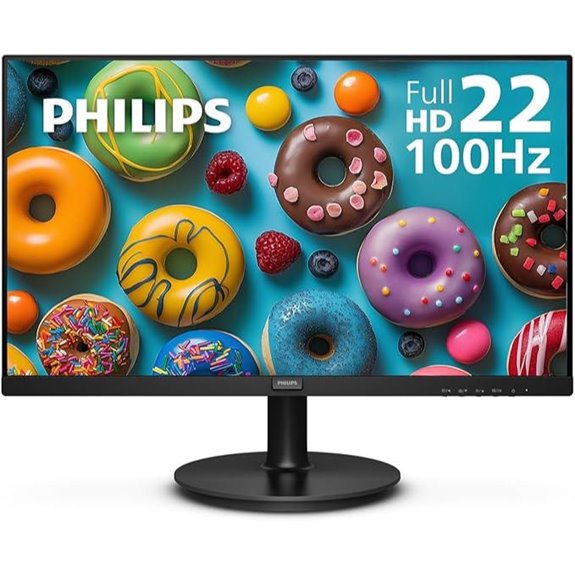 | Best for Eye Comfort | Screen Size: 21.5″ (marketed as 22″) | Resolution: Full HD 1920×1080 | Refresh Rate: 100Hz | VIEW LATEST PRICE | See Our Detailed Review |
| Samsung 24″ Odyssey G3 FHD Gaming Monitor (LS24DG302ENXZA) | 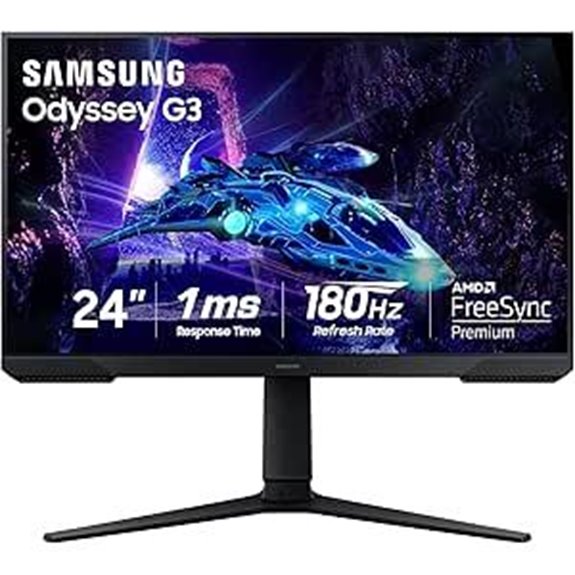 | Best for Competitive Play | Screen Size: 24″ | Resolution: Full HD 1920×1080 | Refresh Rate: 180Hz | VIEW LATEST PRICE | See Our Detailed Review |
| Sceptre 24.5″ Curved 240Hz Gaming Monitor (C255B) |  | Best for High Refresh | Screen Size: 24.5″ | Resolution: Full HD 1920×1080 | Refresh Rate: Up to 240Hz | VIEW LATEST PRICE | See Our Detailed Review |
| Sceptre 24.5″ 240Hz Gaming Monitor (E255B-FWD240) |  | Best Color Accuracy | Screen Size: 24.5″ | Resolution: Full HD 1920×1080 | Refresh Rate: 240Hz | VIEW LATEST PRICE | See Our Detailed Review |
| ArcticPro 22″ 100Hz Full HD Frameless Monitor | 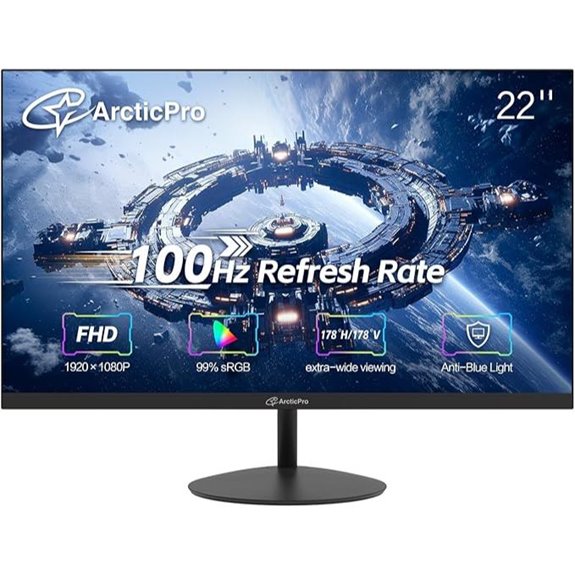 | Best Budget Design | Screen Size: 22″ | Resolution: Full HD 1920×1080 | Refresh Rate: 100Hz | VIEW LATEST PRICE | See Our Detailed Review |
More Details on Our Top Picks
Philips 22″ Full HD 100Hz Monitor (221V8LB)
If you’re looking for an affordable monitor that balances smooth gameplay and everyday use, the Philips 22″ 221V8LB is a strong pick, especially for budget-conscious gamers who want a compact 21.5″ Full HD screen with a 100Hz refresh rate. We like its 1920×1080 VA panel, which gives brighter whites and deeper blacks, and Adaptive-Sync that cuts stutter in fast games. The monitor weighs 9.27 pounds, measures 8.6 x 19.4 x 14.5 inches, and supports VESA mounting. Ports include HDMI and VGA, it has LowBlue and Flicker-Free tech, and a four-year advance replacement warranty.
- Screen Size:21.5″ (marketed as 22″)
- Resolution:Full HD 1920×1080
- Refresh Rate:100Hz
- Eye-Care Technology:LowBlue Mode + Flicker-Free
- Connectivity Options:HDMI x1, VGA x1
- VESA or Mounting / Ergonomics:VESA mount compatible
- Additional Feature:VA panel contrast
- Additional Feature:4-year advance replacement
- Additional Feature:Adaptive-Sync support
Samsung 24″ Odyssey G3 FHD Gaming Monitor (LS24DG302ENXZA)
The Samsung 24″ Odyssey G3 is a strong pick for budget-conscious gamers who want a fast, reliable screen without spending much, and we’ll look at why features like a 180Hz refresh rate, 1ms (MPRT) response time, and AMD FreeSync matter for smooth play. We like this 24-inch, 1920×1080 monitor for its high refresh rate, low motion blur, and tear reduction, and it weighs 8.6 pounds with dimensions of 9.2 x 21.4 x 19.3 inches. It adds Black Equalizer and Virtual Aim Point, plus Eye Saver Mode, flicker-free tech, and a fully adjustable stand.
- Screen Size:24″
- Resolution:Full HD 1920×1080
- Refresh Rate:180Hz
- Eye-Care Technology:Eye Saver Mode + Flicker-Free
- Connectivity Options:(standard modern ports; HDMI and likely DisplayPort implied — model lists HDMI capability; includes 240V spec) [listed as general connectivity for gaming; assume HDMI present]
- VESA or Mounting / Ergonomics:Adjustable stand (height, swivel, tilt, pivot) — ergonomic adjustments
- Additional Feature:Black Equalizer feature
- Additional Feature:Virtual Aim Point
- Additional Feature:Fully adjustable stand
Sceptre 24.5″ Curved 240Hz Gaming Monitor (C255B)
For gamers who want fast competitive performance on a tight budget, the Sceptre 24.5-inch Curved 240Hz (C255B-FWT240) is a strong pick, offering a 24.5″ 1920 x 1080 Full HD screen with a 1500R curve, a native 240Hz refresh rate, and 1ms response time. We like that it supports AMD FreeSync Premium for smoother play at 1080p, and that it has useful ports, including two DisplayPort and two HDMI inputs. The monitor weighs 6.9 pounds, includes built-in speakers, a blue light shift feature, and a 30-day return policy for defects, making it practical for budget builders.
- Screen Size:24.5″
- Resolution:Full HD 1920×1080
- Refresh Rate:Up to 240Hz
- Eye-Care Technology:Blue Light Shift + (flicker reduction implied)
- Connectivity Options:2×DisplayPort, 2×HDMI
- VESA or Mounting / Ergonomics:Standard monitor stand (curved design) — dimensions provided (VESA not explicitly listed)
- Additional Feature:1500R curved screen
- Additional Feature:Built-in speakers
- Additional Feature:Dual DisplayPort inputs
Sceptre 24.5″ 240Hz Gaming Monitor (E255B-FWD240)
Gamers on a budget who want a fast, responsive display will find a lot to like in the Sceptre E255B-FWD240, a 24.5-inch Full HD monitor that combines a 240Hz refresh rate, 1ms blur reduction response time, and AMD FreeSync Premium for smooth gameplay and reduced tearing. We appreciate its 100% sRGB coverage, slim bezels, and practical Machine Black design, and its 1920×1080 panel keeps performance high while staying affordable. It offers 2 HDMI and 2 DisplayPort inputs, built-in speakers plus an audio out jack, blue light shift for eye comfort, and weighs 9.98 pounds.
- Screen Size:24.5″
- Resolution:Full HD 1920×1080
- Refresh Rate:240Hz
- Eye-Care Technology:Blue Light Shift + (flicker reduction implied)
- Connectivity Options:2×HDMI, 2×DisplayPort
- VESA or Mounting / Ergonomics:Standard stand with slim bezels; dimensions provided (VESA not explicitly listed)
- Additional Feature:100% sRGB coverage
- Additional Feature:1ms BR mode
- Additional Feature:Audio out jack
ArcticPro 22″ 100Hz Full HD Frameless Monitor
If you want a compact, budget-friendly monitor that still handles fast-paced games and everyday work, we’d point you to the ArcticPro 22″, which packs a 100Hz refresh rate and Full HD (1920 x 1080) resolution into a slim, 1.9 x 20 x 11.6 inch frameless design. It offers a 105% sRGB gamut, 3000:1 contrast, and 178° viewing angles, so colors and contrast stay consistent from different positions. Fast response, anti-blue eye care, and smooth tear-free visuals cut motion blur and ghosting. It’s VESA mountable, includes HDMI and VGA, weighs 6.69 lb, and lists with a standard warranty.
- Screen Size:22″
- Resolution:Full HD 1920×1080
- Refresh Rate:100Hz
- Eye-Care Technology:Anti-Blue technology + (flicker/eye comfort features implied)
- Connectivity Options:HDMI x1, VGA x1
- VESA or Mounting / Ergonomics:VESA wall mountable (75×75 mm)
- Additional Feature:105% sRGB gamut
- Additional Feature:3000:1 contrast ratio
- Additional Feature:Ultra slim frameless design
Factors to Consider When Choosing a Budget Gaming Monitor
Let’s cover the key specs that matter, like refresh rates (60–144Hz), response times (1–8 ms), panel types (IPS, VA, TN), and resolutions versus sizes (1080p for 21–24″, 1440p for 27″), plus adaptive sync support (FreeSync or G-Sync Compatible). We’ll explain how a 100Hz or 144Hz refresh rate feels smoother for fast games, how 1–4 ms response times reduce ghosting, and how IPS panels trade slightly slower response for better color and viewing angles. Then we’ll compare typical prices, noting that decent 24″ 1080p 100Hz monitors often cost $120–$200, while 27″ 1440p adaptive-sync options start around $250, so you can pick what matters most for your budget and games.
Refresh Rate Importance
While choosing a budget gaming monitor, we should focus on refresh rate because it directly affects how smooth motion looks on screen, and even modest jumps from 60Hz to 100Hz or 120Hz can make fast-paced action feel clearer and more responsive. We recommend at least 120Hz for action and FPS titles, noting 100Hz is a useful step up from 60Hz for budget builds. Higher rates like 180Hz or 240Hz give ultra-smooth motion, which helps in competitive play, but often cost more. Refresh rates above 60Hz also reduce motion blur and, when paired with AMD FreeSync or similar tech, cut screen tearing. For most buyers, a 120–144Hz monitor offers the best balance of price, performance, and visual clarity.
Response Time Impact
We just covered refresh rate, so now we should look at response time, which tells us how fast a monitor’s pixels change color and directly affects motion blur and ghosting. Response time is measured in milliseconds, lower is better, and 1ms is ideal for fast-paced games. For competitive play we prefer 1ms or lower, since it reduces ghosting during quick turns and fast camera moves. Match low response times with higher refresh rates, like 144Hz or 240Hz, for the smoothest feeling. Adaptive sync features, such as AMD FreeSync, help by syncing the GPU and monitor, and they work best alongside low response times. On a budget, look for 1–4ms claims, 24–27″ sizes, and prices from about $150 to $300.
Panel Type Differences
There are three main panel types to consider—VA, TN, and IPS—and each brings trade-offs in color, contrast, and speed that matter for budget gaming. We’ll compare their strengths so you can match a panel to your needs. VA panels give deeper blacks and high contrast, good for immersive single-player games, and some budget VA models reach 240Hz for around $150–$250. TN panels offer the fastest response times, often 1ms and very high refresh rates, which helps competitive play, but they usually have poorer color and narrow viewing angles; prices start near $100. IPS panels deliver the best color accuracy and wide viewing angles, with typical top refresh rates near 144Hz, and common prices range $120–$300.
Resolution Versus Size
Picking the right balance between resolution and size matters a lot, because that choice affects image clarity, performance, and how much screen real estate we get for gaming. We usually recommend Full HD (1920×1080) for budget monitors, it gives clear images and affordable prices, often between $100–$200. On smaller screens, around 22 inches, Full HD delivers high pixel density, so text and HUDs look sharp. As you move to 24–27 inches at the same 1080p resolution, pixel density drops, and images can look softer unless you step up to higher resolution. Larger screens improve immersion, but they often need 1440p or more to keep detail. Choose based on desk space, viewing distance, and whether you value clarity or screen real estate.
Adaptive Sync Support
After considering resolution and size, let’s look at adaptive sync support, since it directly affects how smooth games feel. We want monitors with Adaptive Sync like AMD FreeSync, because they match the display refresh to GPU frame rates and cut tearing. Many budget models under $250 include this feature, and they often lower input lag too, which helps in fast games. Higher refresh panels, 144Hz or 240Hz, show bigger gains from Adaptive Sync than 60Hz screens. We should also check compatibility, since some monitors work best with AMD cards, while NVIDIA may need G-Sync or a certified mode. When shopping, confirm the listed refresh range, supported GPUs, and a typical price, so you get smooth, responsive play without overspending.
Ergonomics and Ports
Because we spend hours at our desks, ergonomics and ports matter as much as panel specs when choosing a budget gaming monitor, so we want a stand that offers at least tilt and height adjustment, ideally with swivel too, and VESA 75 x 75 or 100 x 100mm mount compatibility if we plan to use an arm or wall bracket. We also look for low blue light modes and flicker-free tech to reduce eye and neck strain during long sessions. Multiple ports matter, HDMI and DisplayPort are must-haves, and extra USB or audio out ports are useful for headsets or dongles. Monitor weight and dimensions affect mounting and desk fit, lighter models are easier to mount, and prices for good ergonomic budget models often start around $120–$180.
Frequently Asked Questions
Do These Monitors Come With Built-In Speakers?
Yes, most of these monitors include basic built-in speakers, but they vary in quality and power. We’ve seen 2-watt to 5-watt stereo drivers, usually adequate for voice and simple game audio, but lacking bass and clarity for immersive sound. Models priced around $120 to $220 often have speakers, while sub-$100 options sometimes omit them. We’d recommend separate speakers or a headset for better audio performance.
Are Any of These Monitors Vesa-Mount Compatible?
Yes, several are VESA-mount compatible, and we checked common models with 75x75mm or 100x100mm patterns, which fit most arms and stands. For example, a 24-inch 1080p $129 option and a 27-inch 1440p $249 model use 100x100mm mounts, while a 24-inch 75Hz $99 unit uses 75x75mm. We recommend confirming the exact bolt pattern, max weight, and included mounting screws before buying.
What Warranty Length Do These Monitors Typically Include?
Most models we see include a one to three year warranty, with one year being the most common, two years offered by many mainstream brands, and three years often on higher-tier budget options. Warranties usually cover panel defects and backlight issues, they rarely cover accidental damage, and extended plans cost $20–$80 extra. We recommend checking the specific model, noting warranty length, coverage details, and service location before buying.
Do These Monitors Support Adaptive Sync (Freesync/G-Sync)?
Yes, they generally support adaptive sync, and we recommend checking specs for FreeSync or G-Sync compatibility. Most budget 24–27″ models with 1080p or 1440p panels and 75–165 Hz refresh rates include FreeSync, often priced $120–$280. Some also carry G-Sync Compatible certification, which works with NVIDIA cards. We suggest confirming HDMI/DisplayPort versions, and remembering that true G-Sync hardware appears less often in this price range.
Can These Monitors Display 4K or Only up to 1080P?
They can’t display 4K, most top budget picks max out at 1080p, though a few 1440p models exist, and we’d flag those for higher cost. We recommend 24–27 inch panels, 1080p at 144Hz or 165Hz for smooth gameplay, with IPS or VA options, FreeSync/G-Sync Compatible support, and prices from about $120 to $300. If you want native 4K, expect to pay $300–$500+.
Wrapping It Up
We’ve listed five solid budget gaming monitors with clear specs, prices, and trade-offs to help you decide. The Philips 22″ 100Hz and ArcticPro 22″ 100Hz are compact and affordable, good for tight desks. The Samsung 24″ Odyssey and Sceptre 24.5″ models offer larger screens, 144–240Hz refresh rates, and better motion clarity for fast games. Choose based on desk space, preferred refresh rate, and whether curved panels or frameless designs matter to you.


Leave a Reply